Layout vs. schematic (LVS)
We want to run LVS with Calibre on the bond-pad level (so no seal ring or dummy fill). Pin labels must be added to the AP level of each pad so that the LVS tool can map the Spice netlist to the layout. They must follow the same naming as ASIC_ALL.sv.
You can find tab called "Calibre" at the top of the Virtuoso Layout Suite. If Calibre is not present, go to the main Virtuoso window. In the terminal, type the following commands and restart Virtuoso:
mgc_home=getShellEnvVar("MGC_HOME")
load(strcat(mgc_home "/shared/pkgs/icv/tools/queryskl/calibre.skl"))
In the ASIC_ALL layout, navigate to Calibre → Run nmLVS. For the "Runset File Path," create a directory called "LVS" and select it, and choose a runset name (e.g., LVS_Runset). The following image shows the LVS dialog:
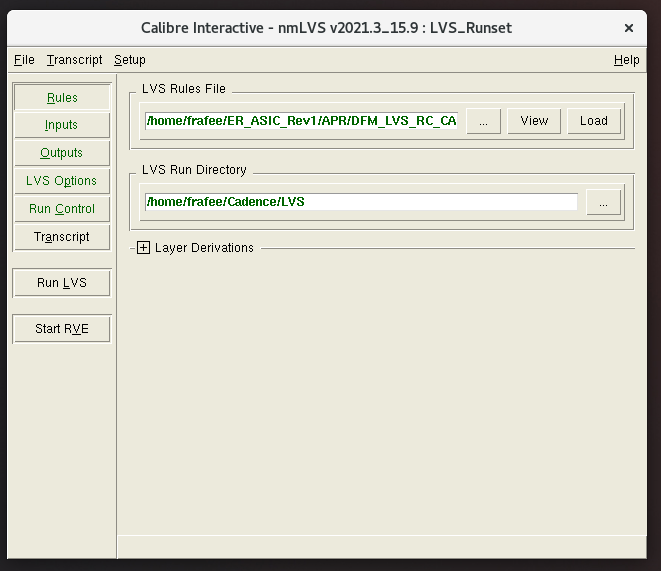
Note that the "LVS Options" tab may not automatically appear. You can open it by navigating to Setup → LVS Options. Make the following changes in the dialog:
- Rules
- LVS Rules File:
~/ER_ASIC_Rev1/APR/DFM_LVS_RC_CAL_N65_ALRDL_UTM_v16a.9m - LVS Run Directory:
~/Cadence/LVS
- LVS Rules File:
- Inputs → Netlist
- Spice Files:
ASIC_ALL/ASIC_ALL.cdl - Top Cell: ASIC_ALL
- Spice Files:
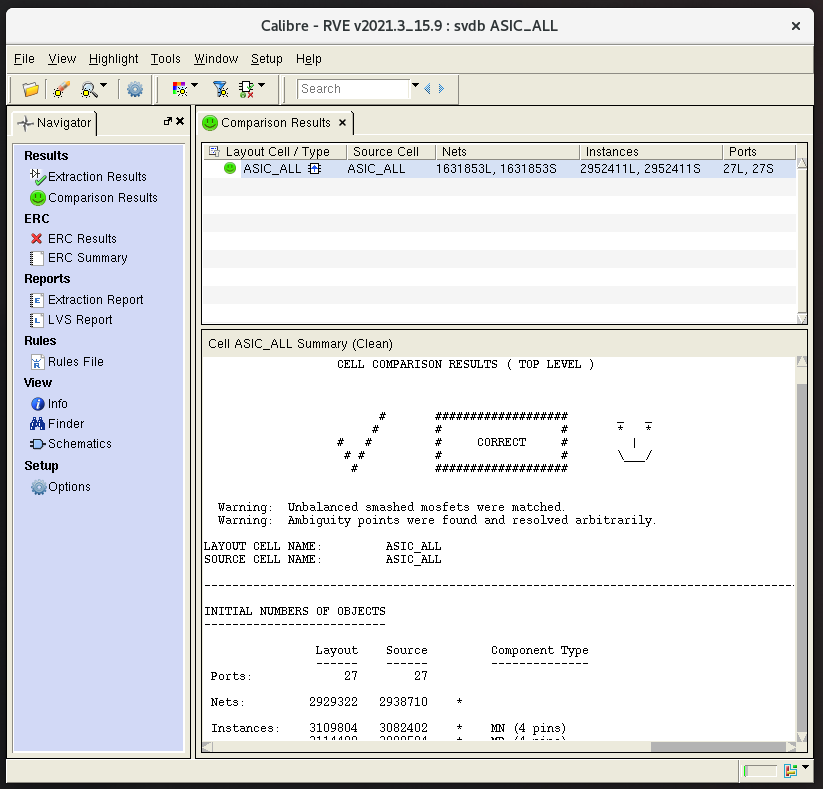
After these modifications, save the runset and select "Run LVS." Once LVS completes, an RVE window will open with the results. If LVS passes, the tool will show a green checkmark; otherwise, it will show a red X. Although LVS is not strictly required to pass by the foundry, it is absolutely critical that it is passed. An incorrect LVS means that internal nets are not connected as expected. Sometimes, it may seem as though a notation error is causing LVS to fail, but often enough, the LVS is indicating that there is an actual layout problem and the chip will completely fail. The only way to ensure the chip functionality is to pass LVS.
The following image shows a passing LVS result:
Even if LVS passes, you may find that there are ERC errors. The following errors were found in previous tapeouts and can be ignored:
- Check mnpg: MOS connected to both power and ground
- Check floating.psub: psub not connected to GROUND
- Check npvss49: ntap connected to GROUND